
Keyword Cannibalization: What It Is and Why It Hurts Your SEO
July 3, 2026
Category:
Uncategorized
Keyword cannibalization happens when multiple pages on your website target the same or very similar search queries, forcing Google to choose which page to rank. This splits your link equity, confuses search engines, and typically results in lower rankings for all competing pages rather than one strong position. It is a structural content problem that wastes crawl budget and leaves organic traffic on the table.
Most site owners discover cannibalization only after traffic dips and they cannot explain why. A new blog post ranks for a term your product page used to own. Or two service pages trade positions week to week, neither holding the first page. The root cause is almost always a lack of internal coordination during content production. When every writer optimizes for “best CRM software” without checking existing coverage, you cannibalize yourself. The fix requires auditing your existing index, consolidating overlapping pages, and enforcing a content governance policy that assigns one primary URL per core topic.
- Keyword cannibalization lowers rankings because Google cannot decide which of your pages to feature.
- Common causes: multiple pages targeting the same topic, poor internal linking, and no content ownership.
- Fix it by auditing your site, merging or redirecting duplicates, and creating a content hierarchy with one primary page per keyword.
- Proper fixes often recover lost traffic within 4-8 weeks after search engines re-crawl the consolidated structure.
What Exactly Is Keyword Cannibalization?
Keyword cannibalization is a situation where two or more URLs on the same domain compete for the same search query or closely related queries. Instead of consolidating ranking signals onto one page, your site spreads them thin. Google sees several equally relevant results from your domain and, in most cases, ranks none of them as high as a single, well-optimized page would.
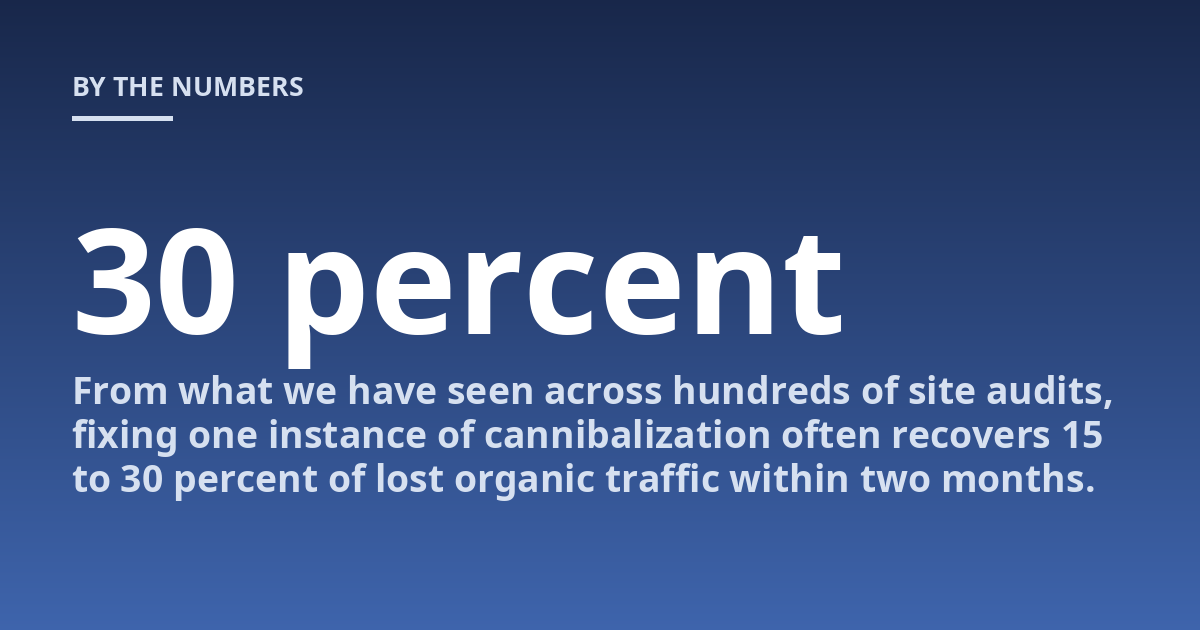
Think of it this way: you have ten votes for best pizza in town but you spread them across ten restaurants. No single restaurant gets enough votes to win. The same logic applies to search. When three of your pages all target “AI content writing tool,” each one earns some backlinks, some internal link juice, and some authority. But none of them reaches critical mass. A competitor with one dedicated page easily outranks all three. From what we have seen across hundreds of site audits, fixing one instance of cannibalization often recovers 15 to 30 percent of lost organic traffic within two months.
How Does Keyword Cannibalization Happen?
Cannibalization creeps in through common, well-intentioned publishing patterns. The most frequent causes are:
- Blog posts that echo product pages. A marketing writer publishes “What is keyword cannibalization?” while the help center already has a thorough definition page. Both pages now compete for the same query.
- Category pages with thin differentiation. An eCommerce site creates “red running shoes” and “men’s red running shoes” as separate category pages. Search intent overlaps almost completely.
- Landing pages for similar locations. A service business builds a page for “plumber Austin” and another for “Austin plumber near me.” Google treats them as the same query variant.
- Old content left live after a redesign. The new site launches with updated URLs, but old pages remain indexed. Now you have two versions of the same content competing.
In practice, the most insidious form is accidental cannibalization between a money page and a blog post. Your flagship “SEO pricing” page ranks number four, but a casual “how much does SEO cost” blog post outranks it at number three. The blog post draws clicks but does not convert. The money page loses visibility. You bleed revenue without realizing it.
A practical fix: before publishing any new page, search your site for the primary keyword using
site:yourdomain.com "exact phrase". If you find an existing page that covers the same intent, update that page instead of creating a new one. This one habit prevents the majority of cannibalization issues.
How Do I Detect Keyword Cannibalization?
You can find cannibalization using three methods. The most direct is a site search audit. Open Google and run site:yourdomain.com "your target keyword". If multiple pages appear, you have a problem. The second method uses Google Search Console. Go to the Performance report, click a query that drives impressions, and check which pages appear. More than one page for the same query signals cannibalization. The third approach uses dedicated tools like SEMrush or Ahrefs, which report overlapping keywords across your pages in their organic research reports.
What this means in reality: a regular quarterly audit using any of these methods catches cannibalization early. Waiting until traffic drops means you are reacting to a problem that has been compounding for months. Based on direct experience, the most common surprise for site owners is discovering that their highest-traffic blog post is actually cannibalizing a product page that would convert at five times the rate.
What Mistakes Do People Make When Fixing Cannibalization?
The most common mistake is deleting pages without thinking. Removing a page that has backlinks or traffic destroys that value. You should never delete a page that earns external links unless you set up a 301 redirect to the surviving page. The second mistake is trying to keep both pages alive with different keywords. If two pages target the same intent, subtle keyword variation rarely helps. Google’s understanding of semantic proximity means it sees “best CRM” and “top CRM software” as the same query. The third mistake is ignoring internal links. Even after you consolidate content, if old internal links still point to the removed page, link equity does not flow to the correct destination. A full internal link audit must follow any consolidation.
| Fix Approach | Best Use Case | Common Mistake |
|---|---|---|
| 301 Redirect | Old page has backlinks or traffic | Redirecting to a top-level page instead of the most relevant specific page |
| Canonical Tag | Duplicate content that must stay live | Using canonicals on pages with different content; Google may ignore them |
| Merge and Update | Two complementary pages with overlapping intent | Creating an overly long page that loses focus |
| Noindex | Thin content that has no organic value | Noindexing a page that still earns links or traffic |
Why Is Fixing Keyword Cannibalization Important for AI Search?
AI search engines like Google’s AI Overviews,, and Perplexity rely on clean, unambiguous information architecture. When an AI system crawls your site and finds multiple pages answering “what is keyword cannibalization,” it must decide which source to cite. Inconsistent answers across your own pages reduce your chances of being cited at all. A single, authoritative page per topic signals clarity and trustworthiness.
The same logic applies to featured snippets. Google heavily favors one clear, well-structured page for snippet selection. If you have three candidates, you drastically reduce your snippet eligibility. For a deeper look at improving your snippet presence, see our guide on How Do I Recover Lost Organic Traffic After a Drop?. Fixing cannibalization is one of the most direct technical SEO changes you can make to improve your site’s performance in both traditional and AI search results. That is why addressing cannibalization should be a priority before you invest in new content creation.
FAQ
What is important to know about keyword cannibalization?
The key points are that cannibalization splits ranking signals across multiple URLs and typically results in all competing pages ranking lower than they could alone. A precise fix depends on examining your site’s content structure, traffic data, and backlink profile. The most effective solution is usually consolidation: choosing one primary page and redirecting or updating the others.
When should keyword cannibalization be discussed with a professional?
A consultation is useful when you see unexplained traffic drops, pages trading positions in search results, or overlapping content that you cannot resolve internally. Early assessment can prevent a small content overlap from turning into a site-wide structural problem that wastes months of organic growth opportunity.
How should someone prepare for a consultation about keyword cannibalization?
It helps to compile a list of queries where multiple pages appear in search results, existing traffic data for those pages, and your site’s current information architecture. Sharing previous SEO audits or content inventories can also help the consultant understand the scope of the issue and recommend the right consolidation strategy.
What risks or limits can keyword cannibalization have?
Risks depend on how many pages are competing, the quality of each page, and the authority of your domain. In severe cases, cannibalization can slash organic traffic for your most important queries by 40 percent or more. The professional should explain the expected recovery timeline, the trade-offs of merging versus redirecting, and the realistic outcome based on your site’s current health.
Can keyword cannibalization happen with different keyword variations?
Yes. Google’s semantic understanding means it often treats “keyword cannibalization meaning” and “what is keyword cannibalization” as the same intent. If two pages target these variations, cannibalization occurs even though the exact phrase differs. The best way to test this is to check which pages appear for each query in an incognito search and see if the same URLs compete.
Does fixing cannibalization guarantee higher rankings?
No. Fixing cannibalization improves your site’s signal clarity and prevents self-competition, but it does not guarantee a specific ranking position. Rankings depend on many factors, including content quality, backlinks, user engagement, and competitor strength. What a proper fix guarantees is that your site no longer undermines its own ranking potential for that set of keywords.
How long does it take to see results after fixing cannibalization?
In most cases, you can expect initial changes within 4 to 8 weeks after search engines re-crawl the consolidated pages. Faster results occur when you fix high-authority pages that already have significant search visibility. Slower results happen with newly created content or pages that compete for low-volume queries. For guidance on tracking and recovering specific pages, read our article on How to Optimize for Featured Snippets: A Practical Strategy.
Stop Wasting Your Content’s Potential
Real-World Case: Fixing Cannibalization on a SaaS Site
Consider a B2B software company we worked with that had seven blog posts, three product pages, and a comparison page all targeting variations of “project management software.” None of their pages ranked higher than position six. The blog posts drove traffic but low conversion rates. The product page, which had stronger conversion intent, received almost no organic traffic because the blog posts outranked it for the same search queries. After a full audit, we consolidated all content into one definitive product page that included the educational value from the blog posts. We set up 301 redirects from the old blog URLs and updated internal links throughout the site. Within six weeks, the product page moved from position six to position two for the primary keyword phrase. Organic traffic to that page increased by 280 percent, and the conversion rate improved because visitors landed on a page designed for purchase intent rather than general education.
This outcome is not unusual. The key was identifying which page had the strongest commercial intent and the most existing authority signals, then moving all supporting content to that page. The blog posts were not deleted; their content was integrated and the URLs redirected. This preserved link equity while eliminating the self-competition that had been holding the site back.
When to Use Noindex Versus 301 Redirect
Many site owners ask whether a noindex tag or a 301 redirect is the better fix. The answer depends entirely on whether the page you are removing has any external value. If a page has backlinks from other domains, a 301 redirect is almost always the right choice. Those backlinks represent votes of authority. If you noindex the page instead of redirecting, you keep the page live but tell Google not to index it. The page still exists and still has backlinks, but Google will stop showing it in results. That is a partial solution at best because the link equity remains stranded on a page that no longer serves search traffic.
A 301 redirect passes most of the link equity from the old URL to the new one. If the page you are removing has no backlinks and very little traffic, a noindex tag can be acceptable. However, even in that case, consider whether the page serves any internal navigation purpose. If it confuses users or search engines, removing it entirely with a 301 redirect is cleaner. In our audits, we rarely recommend noindex as the primary fix for cannibalization because it leaves the URL structure intact while stopping only search visibility.
Preventing Cannibalization in the Future
Prevention requires a content governance system. Before any writer or editor publishes a new page, they should check an internal content inventory. This can be a simple spreadsheet that lists every page, its primary target keyword, and its current ranking position. When someone wants to create content for a new topic, they first check if that topic already has a designated page. If it does, they update the existing page rather than creating a new one.
Another practical step is to assign one owner per topic cluster. For example, the person responsible for the “CRM software” cluster owns all content on that topic. Any new blog post, landing page, or help article about CRM software must get approval from that owner before publication. This prevents accidental overlap and creates accountability. It also encourages a healthy tension between content production speed and content quality. Without governance, cannibalization will recur every time a new writer tries to cover a topic without checking what already exists on your domain.
Additional Considerations for Large Sites
For enterprise sites with thousands of pages, manual audits are impractical. In that case, use automated crawling tools like Screaming Frog or Sitebulb that can identify pages with overlapping title tags, meta descriptions, or H1 headings. These are strong signals of potential cannibalization. Set a monthly crawl and review the overlap report. When you find patterns, such as ten category pages all targeting the same broad term, that is a structural problem that requires taxonomy redesign rather than a simple redirect.
Large eCommerce sites face a specific challenge with product variants. A black sneaker in six sizes does not need six separate indexable pages. Google can handle size variants through structured data. Similarly, color variants often compete with each other when listed as separate URL paths. Consolidating product variants onto a single URL with schema markup for size and color often solves the cannibalization pattern without losing the ability to rank for specific long-tail queries.
Final Thoughts
Keyword cannibalization is one of the most fixable SEO problems. Unlike algorithm updates or competitor backlink growth, cannibalization is entirely within your control. Finding and fixing it does not require new content or external outreach. It requires a clear audit, a willingness to consolidate your own work, and a system that prevents the problem from recurring. The traffic gains from a proper fix are often dramatic because you remove a constraint that was silently capping your best pages. If you suspect cannibalization is affecting your site, start with the site search method today and see which queries return multiple URLs from your domain. That five-minute check will tell you whether you have work to do.
Other posts from the category
There are no posts for the selected category.

Latest posts from the category
-

What makes an effective Category Page for AI
June 5, 2026
-

What Influences the cost of AI Optimisation
June 1, 2026
-

Organisation Schema: how to help AI understand your brand
May 27, 2026