
How do I optimize for Google AI overviews with schema

October 31, 2026
Category:
Uncategorized
To understand how do I optimize for Google AI overviews with schema, you must implement structured data that explicitly defines entities, questions, and answers on your pages. Schema markup does not guarantee placement in generative search results. It gives answer engines the precise context needed to parse, extract, and cite your content accurately.
Search engines parse HTML to build a knowledge graph of your page. When that HTML lacks explicit relationships between concepts, extraction systems fall back on probabilistic text parsing. That fallback introduces errors. Structured data removes that ambiguity by defining exactly what a block of text represents: a question, an answer, a product, or a defined term.

Teams working on multilingual campaigns and WordPress automation at TsoDen AI Bureau see this constantly. Pages with clean JSON-LD get parsed faster and more accurately by crawlers than pages relying solely on heading hierarchy. Content automation affects SEO performance directly when the output includes validated markup rather than raw text blocks. You still need strong editorial substance. Schema simply formats that substance so machines can read it without guessing.
- Schema clarifies entity relationships for extraction systems.
- FAQPage and HowTo types structure direct answers for AI models.
- Validation prevents syntax errors from blocking crawler parsing.
- Markup must match the visible text on the rendered page.
What schema types help answer engines extract content?
Answer engines rely on specific structured data types to identify quotable passages and factual claims within a webpage. The most reliable approach here is usually simple. FAQPage schema structures question-and-answer pairs so extraction systems recognize them as discrete facts. HowTo schema breaks procedures into ordered steps with required tools and estimated durations. Article schema defines the publisher, author, and publication date, which establishes provenance. WebPage schema clarifies the primary subject of the document. When you deploy these types using JSON-LD format in the document head, you provide a machine-readable map of your content. Answer engines use this map to locate specific claims without having to infer meaning from unstructured paragraphs. The markup must perfectly mirror the visible text on the page to avoid validation failures.
Choosing the right type depends on your content format. A tutorial needs HowTo. A service page benefits from Service and LocalBusiness types. A glossary requires DefinedTerm.
| Schema Type | Primary Use Case | Key Properties |
|---|---|---|
| FAQPage | Question and answer sections | mainEntity, acceptedAnswer |
| HowTo | Step-by-step tutorials | step, tool, totalTime |
| Article | Editorial and blog content | author, datePublished, publisher |
| DefinedTerm | Glossaries and definitions | termCode, definition |
Mismatching the type to the content confuses parsers. Do not wrap a standard paragraph in FAQPage markup just because it contains a question word.
How do I optimize for Google AI overviews with schema correctly?
Optimizing for generative search features requires mapping your most definitive claims into structured properties before writing the surrounding prose. Start by identifying the core assertions on your page. Convert those assertions into JSON-LD objects. Place the script block in the head of your document. Ensure every property value matches the text a human reads in the body. If your visible text says a process takes three steps, your HowTo schema must contain exactly three step objects. Generative models cross-reference the structured data against the natural language text. Discrepancies between the two cause extraction systems to discard the markup entirely. This alignment is the foundation of answer engine optimization. You are building a parallel translation of your page for machines. What is the future of search with generative AI
Most guides overcomplicate this. The reality is simpler. Write the clear answer first. Then wrap it in the appropriate schema object.
Content automation affects SEO performance positively when your templates inject accurate JSON-LD automatically. Manual entry introduces typos. Automated injection ensures consistency across hundreds of pages in large multilingual campaigns.
Why does content automation affect SEO performance and schema deployment?
Scaling structured data across large websites manually introduces syntax errors, missing properties, and mismatched values that prevent search engines from parsing the markup. Content automation solves this by generating JSON-LD dynamically based on database fields or CMS inputs. When you publish a new article in WordPress, a configured template can automatically populate Article, Author, and BreadcrumbList schemas using the post metadata. This eliminates the risk of a developer forgetting to add the script tag or mistyping a closing bracket. Automation also enforces consistency. Every page uses the same property names and formatting rules. For agencies managing multilingual campaigns, automated generation ensures that translated pages carry the correct localized schema values without requiring separate manual configuration for each language variant.
This is where unlocking AI-powered SEO becomes practical. Instead of treating structured data as an afterthought, automation bakes it into the publishing workflow.
You should audit your automated output regularly. Templates change. A plugin update might strip out a required field. Run scheduled validation checks to catch these regressions before they impact crawling.
Which mistakes break structured data for generative search?
The most common error in structured data implementation is marking up content that does not exist visibly on the rendered page. Search engines require the schema properties to match the user-facing text. If your FAQPage schema contains five questions but the HTML only displays three, the entire block may be ignored. Another frequent mistake is nesting schema types incorrectly, such as placing an Organization object inside a Person object without a valid relationship property. Syntax errors like missing commas or unclosed brackets in JSON-LD will cause the parser to fail silently. Using deprecated properties or inventing custom properties that do not exist in the vocabulary also renders the markup useless. Finally, failing to update schema when the underlying page content changes creates a mismatch that degrades trust signals.
Always run your JSON-LD through a validator immediately after deployment. Do not assume your CMS plugin outputs flawless code. Check the rendered source, not just the editor view, because caching layers often serve stale markup to crawlers.
Counterintuitively, the fastest path is often the most measured one. Slow down during template creation. Test edge cases. Verify the output on staging before pushing to production.
How do I validate schema for AI overview eligibility?
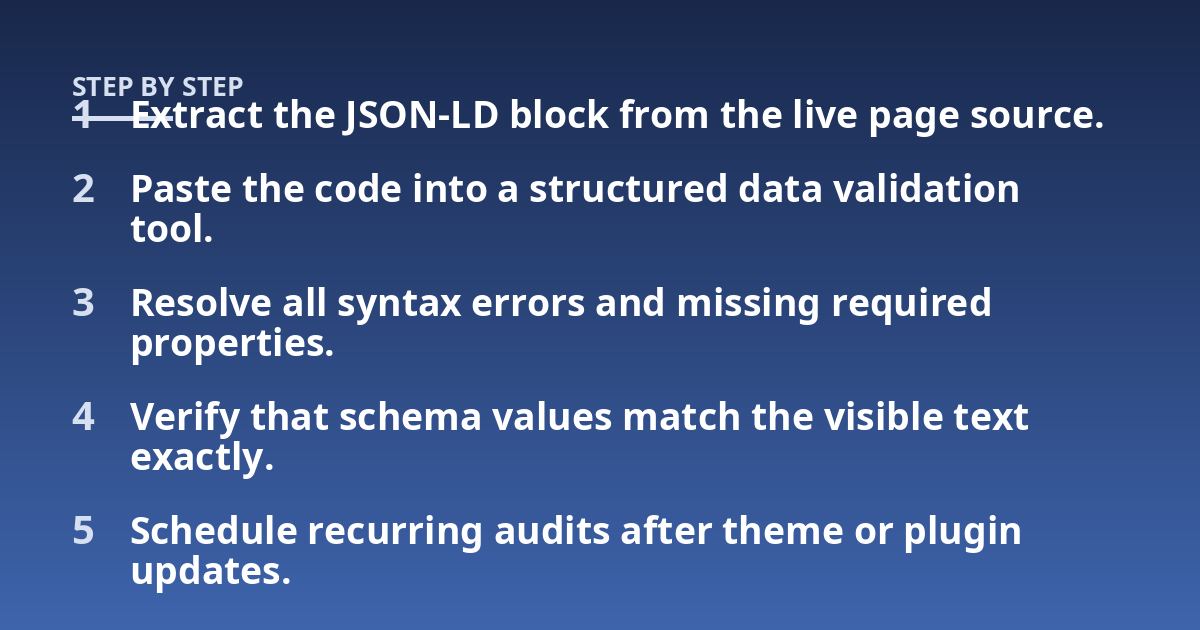
Validating structured data requires testing the JSON-LD syntax against the official vocabulary and verifying that the properties align with the visible page content. Start by extracting the script block from your live page source. Paste that code into a structured data testing tool to check for syntax errors, missing required fields, and invalid property types. The tool will flag any deviations from the expected format. Once the syntax passes, review the warnings. Some warnings indicate optional properties you omitted. Others point to logical conflicts. Fix the errors first. Then address warnings that relate to properties answer engines typically look for, such as dates, author names, and explicit definitions. Validation is not a one-time task. Schedule regular audits, especially after updating themes or plugins that handle header injections.
- Extract the JSON-LD block from the live page source.
- Paste the code into a structured data validation tool.
- Resolve all syntax errors and missing required properties.
- Verify that schema values match the visible text exactly.
- Schedule recurring audits after theme or plugin updates.
A broken tag in one language version can disrupt the entity graph for the entire domain.
Does schema guarantee visibility in generative results?
No schema implementation guarantees placement in generative search summaries or responses. Structured data improves the clarity and parsability of your content for extraction systems. It does not override the algorithms that determine which sources get cited. Answer engines prioritize content that demonstrates expertise, provides original information, and directly satisfies the query intent. Schema acts as a formatting layer that makes it easier for those systems to read your work. Think of it as providing a clear table of contents rather than writing the book itself. If the underlying content lacks substance, perfect markup will not compensate for that deficit. Your focus should remain on producing accurate, well-structured information. The schema simply ensures that machines can process that information without friction or misinterpretation.
Generative engine optimization relies on this combination of substance and structure. You cannot automate authority. You can automate clarity.
Treat schema as infrastructure. It supports the content. It does not replace the need for rigorous editorial standards and domain knowledge.
Frequently asked questions about schema and AI search
What is important to know about optimizing schema for AI overviews?
The critical factors are accuracy, alignment, and completeness. Your structured data must perfectly reflect the visible content on the page. Missing required properties or mismatched values cause extraction systems to ignore the markup. The goal is to make your content easily parsable by machines while maintaining readability for humans. Specific recommendations depend on your content type, platform architecture, and the specific queries you target. Always verify your implementation against current vocabulary standards before deploying to production.
When should I consult a professional about structured data?
Professional consultation is useful when you encounter persistent validation errors, experience sudden drops in rich result appearances, or plan a complex migration involving multiple languages or domains. Early assessment prevents minor syntax issues from compounding into broader crawlability problems. If your internal team lacks experience with JSON-LD nesting or dynamic injection via WordPress automation, bringing in specialized support saves time and prevents deployment errors that could affect site-wide parsing.
How should I prepare for a structured data audit?
Gather your existing schema templates, note any recent changes to your CMS or theme, and compile a list of pages where rich results have disappeared. Document your current content automation workflows and how they handle metadata injection. Providing access to staging environments allows the reviewer to test changes without affecting live traffic. Clear documentation of your intended entity relationships helps the auditor understand your goals and identify where the current implementation falls short.
What risks or limits does schema implementation have?
Risks include syntax errors that block parsing, mismatches between markup and visible text that trigger manual actions, and reliance on deprecated properties that stop functioning after vocabulary updates. Limits exist because structured data alone does not dictate ranking or citation frequency. The effectiveness of your schema depends on the quality of the underlying content, the technical health of your site, and how well your chosen types align with the actual page structure.
How often should I review my structured data setup?
Review
your structured data setup every time you modify page templates, update your content management system, or change your publishing workflow. For static sites that rarely change, a quarterly check is usually sufficient to catch vocabulary deprecations. High-volume publishers pushing daily updates through automated pipelines should run validation scripts continuously as part of their deployment process.
Can I use multiple schema types on a single page for AI overviews?
You can include multiple schema types on one page, provided each type accurately describes a distinct section of the content. A product review might contain Product, Review, and FAQPage markup simultaneously. Keep these objects separate rather than nesting them incorrectly. Each JSON-LD block must independently validate against its specific type requirements. Answer engines parse these blocks individually to extract relevant facts for different query intents.
Does hidden schema markup work for generative search extraction?
Search engines penalize or ignore structured data that does not correspond to visible text on the rendered page. Hiding JSON-LD properties in CSS display none containers or injecting text solely for crawlers violates publisher guidelines. Every property value in your markup must have a direct, readable equivalent in the HTML body that a human visitor can see without inspecting the source code.
How do multilingual sites handle schema for AI overviews?
Multilingual websites require localized schema values that match the language of the specific page version. If your French page displays a question in French, the FAQPage acceptedAnswer property must contain the French translation, not the English original. Content automation systems handle this by mapping database fields to the correct language output during rendering. Using hreflang tags alongside properly localized JSON-LD helps extraction systems associate the right markup with the right regional index.
Practical steps for deploying schema at scale
Deploying structured data across a large website requires treating markup as a software engineering problem rather than an editorial afterthought. Start by defining a strict JSON-LD template for each content type your site publishes. Store these templates in version control so changes are tracked and reversible. Map your CMS fields directly to the required schema properties. When a writer fills out a custom field for an estimated reading time, that input should flow automatically into the HowTo totalTime property without manual intervention.
Test your templates against edge cases before rolling them out. What happens when a field is left blank? Does the script output an empty string, or does it omit the property entirely? Empty strings often trigger validation warnings, while omitted optional properties pass cleanly. Configure your automation logic to skip properties when no data exists rather than printing null values into the JSON object.
Monitor how extraction systems interact with your pages after deployment. Check your server logs for crawler requests targeting the URLs where you recently added markup. Look for patterns indicating whether parsers successfully read the head elements or encountered timeout errors due to bloated script blocks. Keep your JSON-LD concise. Strip out unnecessary whitespace in production environments to reduce payload size, but keep the development versions formatted for readability.
The relationship between how do i optimize for google ai overviews with schema and overall site architecture relies on consistency. A single malformed block on a high-traffic template can disrupt parsing across thousands of generated pages. Build validation into your continuous integration pipeline so broken syntax fails the build before reaching the live environment. This prevents silent failures where pages appear normal to humans but remain unreadable to answer engines.
Other posts from the category
There are no posts for the selected category.

Latest posts from the category
-

What makes an effective Category Page for AI
June 5, 2026
-

What Influences the cost of AI Optimisation
June 1, 2026
-

Organisation Schema: how to help AI understand your brand
May 27, 2026