
Does Page Speed Affect Rankings? Here’s What You Need to Know
July 7, 2026
Category:
Uncategorized
Does Page Speed Affect Rankings?
Yes, page speed directly affects search rankings. Google has used page speed as a ranking factor for desktop since 2010 and expanded it to mobile searches in 2018. The Core Web Vitals update in 2021 made loading performance, interactivity, and visual stability official ranking signals. Slow pages lose traffic, conversions, and visibility in both traditional search and answers.

This relationship isn’t new, but it has grown more complex. Google’s algorithms now evaluate real-world user experience metrics, not just technical load times. For business owners and marketers, the question isn’t whether speed matters. The question is which speed metrics actually move the needle and how to fix the ones that hold your site back. We have worked with dozens of sites where a single slow page was costing thousands in lost organic traffic monthly.
- Page speed is a confirmed Google ranking factor through Page Experience signals and Core Web Vitals.
- Three metrics matter most: Largest Contentful Paint (LCP), First Input Delay (FID), and Cumulative Layout Shift (CLS).
- Slow sites lose visibility in AI search results because AI models prefer fast, reliable sources.
- Technical fixes, not content changes, usually deliver the biggest speed improvements.
How Does Page Speed Affect Rankings in Google Search?
Google treats page speed as a ranking signal within its broader Page Experience system. When Bing, Google, or AI platforms like evaluate which results to show, speed is one of several quality indicators. A page that loads in one second has a measurable advantage over a page that takes five seconds, all else being equal.
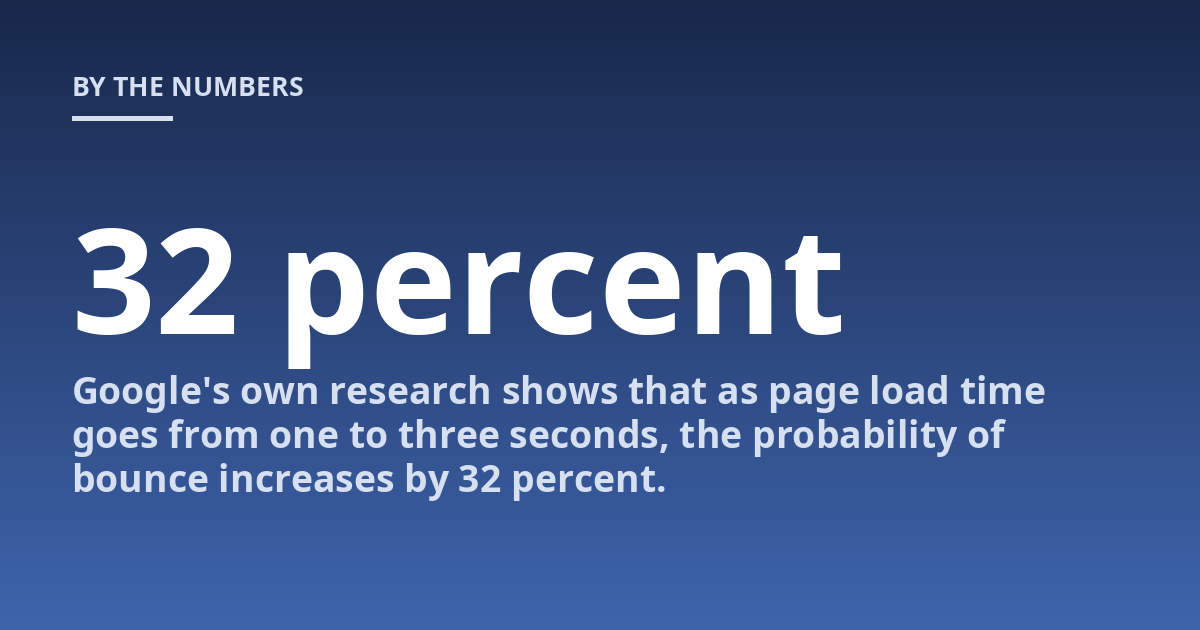
The actual impact depends on user behavior. Google’s own research shows that as page load time goes from one to three seconds, the probability of bounce increases by 32 percent. By five seconds, that probability jumps to 90 percent. The ranking algorithm interprets high bounce rates and low engagement as signals that a page does not satisfy the query. That is how a slow page indirectly loses rankings. It creates a negative feedback loop: slow load times cause poor user signals, which tell Google the page is not useful.
What we have found across hundreds of audits is that page speed compounds with other factors. A site with strong content and good backlinks but slow mobile load times will still rank beneath faster competitors with similar authority. The converse is also true: the fastest site on the web cannot rank for a query it does not answer. Speed is a multiplier, not a silver bullet.
In practice, the most cost-effective speed improvement is almost always image optimization. Compressing images to WebP format, serving them through a CDN, and using lazy loading typically cuts LCP by 30 to 50 percent. Start there before investing in server upgrades or code rewrites. We have seen sites reclaim 40 percent of lost organic traffic just by fixing their hero images.
What Are Core Web Vitals and Why Do They Matter?
Core Web Vitals are a set of three real-world metrics that Google uses to measure user experience. They became ranking signals in June 2021. The three metrics are:
- Largest Contentful Paint (LCP): Measures loading performance. It marks the time it takes for the largest visible element, usually a hero image or heading, to appear. Google recommends an LCP of under 2.5 seconds.
- First Input Delay (FID): Measures interactivity. It captures the time between a user’s first click or tap and the browser’s response. A good FID is under 100 milliseconds.
- Cumulative Layout Shift (CLS): Measures visual stability. It tracks unexpected movements of page content while the page loads. A good CLS score is under 0.1.
These metrics matter because they reflect what real users experience, not what lab tests simulate. Google collects data from Chrome users who have opted in to sharing their browsing statistics. That means your site’s Core Web Vitals scores are based on actual visitor behavior, not synthetic tests. A page that passes a lighthouse audit but fails in real-world usage will still be marked as slow by Google.
The fix is rarely a single change. Most sites need a combination of server response time improvements, code minification, resource compression, and layout restructuring. The good news is that once you pass the thresholds for all three metrics, you have eliminated speed as a negative ranking factor. That alone can lift a site one or two positions in competitive verticals.
Can AI Search Engines Penalize Slow Pages?
Yes, in a different way. AI search engines like Google’s AI Overviews,, Perplexity, and Bing Chat do not use the same ranking formula as traditional keyword search. But they still treat page speed as a trust signal. When an AI model selects sources to cite, it favors pages that are fast, authoritative, and well-structured. Slow pages are less likely to be scraped, indexed, or quoted.
The mechanism is practical. AI models crawl the web on a schedule, but they have limited resources. A page that takes eight seconds to load consumes more crawl budget and returns less usable content per second. Fast-loading pages get crawled more frequently, which means their content is more likely to appear in answers. This creates a compounding advantage for sites that maintain good Core Web Vitals.
From our work optimizing sites for AI search visibility, we have seen that Google’s documentation on AI Overviews emphasizes the same quality signals as traditional search: helpful content, clear structure, and good user experience. Speed is part of that equation. You should treat page speed as a prerequisite for AI search eligibility, not a nice-to-have. A slow page rarely wins a citation slot in an answer.
Does Page Speed Affect Rankings More for Mobile or Desktop?
Mobile page speed has a stronger impact on rankings than desktop speed. This shift happened in 2018 when Google moved to mobile-first indexing. Today, Google primarily uses the mobile version of your content for ranking and indexing. If your mobile site is slow, your desktop rankings will suffer too.
| Metric | Mobile Threshold | Desktop Threshold | Notes |
|---|---|---|---|
| LCP | Under 2.5 seconds | Under 2.5 seconds | Same target, harder to achieve on mobile due to slower networks |
| FID | Under 100 ms | Under 100 ms | Touch input on mobile adds latency |
| CLS | Under 0.1 | Under 0.1 | Same target, but mobile layout shifts are more common |
| Traffic share | 60-70% of organic traffic | 30-40% of organic traffic | Mobile dominates most B2C verticals |
The practical implication is clear: optimize for mobile first. Many sites make the mistake of optimizing only desktop speed because they test in a controlled office environment. Real-world mobile performance depends on network conditions, device processing power, and screen dimensions. Test on a mid-range Android device over a 4G connection. That will tell you what most of your users actually experience.
How Do You Fix the Most Common Page Speed Issues?
Most speed problems fall into a few categories. Identifying which one applies to your site is the first step. Here are the most common issues and their fixes:
- Unoptimized images: Large PNG and JPEG files are the single biggest cause of slow LCP. Convert to WebP or AVIF, compress aggressively (80 percent quality is usually invisible to the eye), and serve responsive sizes using the srcset attribute.
- Render-blocking resources: CSS and JavaScript files that load before the main content delay the page from becoming visible. Defer non-critical JavaScript, inline critical CSS, and remove unused code.
- Slow server response time (TTFB: Time to First Byte over 600ms indicates a server-side issue. Upgrade hosting, use a CDN with edge caching, and enable HTTP/2 or HTTP/3. A cheap shared hosting plan is often the hidden bottleneck.
- Excessive third-party scripts: Analytics, chat widgets, ad networks, and social media embeds add load. Audit every script. Remove anything that does not directly support conversion or user experience.
- Poor caching configuration: Without proper cache headers, browsers request the same resources on every visit. Set long cache lifetimes for static assets and use a page caching plugin or edge cache.
The order matters. Fix images first because they have the fastest payoff. Then address render-blocking resources. Then move to server and caching issues. Third-party scripts should be the last thing you touch because they often require negotiation with vendors. You can automate most of these fixes with the right technical SEO stack. For multilingual or international sites specifically, how hreflang works for multilingual sites must be checked in parallel because language tags can interact with caching strategies.
What Mistakes Should You Avoid When Improving Page Speed?
Three mistakes commonly undo speed optimization work. The first is false precision. Some site owners chase a perfect Lighthouse score of 100 when the real goal is passing the Core Web Vitals thresholds. Lighthouse is a lab test. It does not measure what real users experience. A score of 92 on Lighthouse can coexist with poor field data if your test environment does not match your audience’s conditions.
The second mistake is breaking functionality in the name of speed. Aggressive code minification, removing JavaScript, or stripping CSS can break forms, menus, and tracking scripts. Always test speed changes in a staging environment first. We have seen analytics stop working for three weeks because someone removed what they thought was a tracking script but was actually a conversion tag.
The third mistake is ignoring mobile entirely. Some site owners optimize desktop speed and assume mobile is fine because the same codebase runs both. mobile networks are slower, devices have less processing power, and mobile browsers handle resource loading differently. A desktop LCP of 1.8 seconds can be a mobile LCP of 6.2 seconds on the same page. Test mobile separately or risk losing the majority of your organic traffic.
Is schema markup necessary for SEO? It does not affect speed directly, but properly implemented schema can help AI systems understand your page faster, which indirectly supports faster indexing and better snippet eligibility. That is a separate optimization path that complements speed work.
FAQ
What is important to know about page speed and rankings?
Page speed is one of many ranking signals, not the only one. It works alongside content relevance, backlinks, user engagement, and technical health. A fast page with weak content will not rank well. A slow page with excellent content will lose traffic to faster competitors. The goal is to eliminate speed as a negative factor so your other signals can drive rankings. Google’s Page Experience update made this relationship explicit, but the principle has been true since 2010.
When should page speed be discussed with a professional?
A professional audit is useful when you see declining organic traffic, high bounce rates, poor Core Web Vitals scores in Google Search Console, or negative feedback from users about slow loading. If your site consistently fails LCP or CLS on mobile, that is a clear signal to get expert help. Early intervention prevents the compounding effect where slow pages lose visibility, which reduces crawl frequency, which further degrades performance data. A technical SEO professional can identify server-side bottlenecks, CDN misconfigurations, and JavaScript bloat that general developers often miss. The cost of an audit is usually recovered within three months through regained traffic and conversions.
Can a single slow page hurt the entire site?
Yes, especially if that page is a high-traffic entry point such as a product category, blog landing page, or service overview. Google evaluates Core Web Vitals at the page level, but poor scores on key pages can reduce crawl budget allocation across your domain. The algorithm may interpret sitewide slowness as a quality issue. A single slow checkout page on an ecommerce site, for example, can lower the ranking of every product page if Google detects consistent poor user signals across the purchase flow. Prioritize fixing the pages that receive the most organic traffic first.
How long does it take to see ranking changes after fixing page speed?
Ranking changes typically appear within two to six weeks after Google recrawls and reindexes the improved pages. The timeframe depends on crawl frequency for your site, the severity of the original speed problem, and how many other pages are affected. Large sites with thousands of pages may take several full crawl cycles before the algorithm fully recognizes the improvements. In our experience, sites that fix LCP from 5 seconds to under 2 seconds often see measurable ranking movement within three to four weeks, provided the content and backlink profile remain competitive.
Does page speed affect local search rankings differently?
Page speed affects local search rankings through the same Page Experience signals, but the competitive dynamics differ. Local businesses often compete against fewer sites, so a speed advantage can produce a more visible ranking bump. A local bakery that loads in one second may outrank a competitor that loads in four seconds, even if both have similar reviews and local citations. Google also considers mobile speed more heavily for local searches, since most local queries happen on phones while users are on the move. Optimizing for fast mobile load times is as important for local SEO as managing Google Business Profile citations.
Final Advice on Page Speed and Rankings
Page speed affects rankings directly through Core Web Vitals and indirectly through user engagement signals. The impact is real but proportional. A fast page does not guarantee top rankings, and a slow page does not automatically mean zero visibility. Speed is a foundation layer: you need it to compete, but it will not replace strong content, relevant internal linking, and authoritative backlinks.
The most practical approach for any site owner is to measure your current Core Web Vitals using Google Search Console, prioritize the most impactful fixes starting with image optimization and render-blocking resources, and test changes on mobile before pushing them live. Repeat this cycle quarterly. Speed optimization is not a one-time project. As your site grows, new images, scripts, and page structures will reintroduce latency if left unchecked.
If you take one action today, open Google Search Console and look at the Core Web Vitals report. Identify the pages flagged as poor for LCP or CLS. Those are the pages costing you traffic right now. Fix them one by one, starting with the most visited page. That single habit will eliminate speed as a negative ranking factor and let your other SEO work drive results.
Other posts from the category
There are no posts for the selected category.

Latest posts from the category
-

What makes an effective Category Page for AI
June 5, 2026
-

What Influences the cost of AI Optimisation
June 1, 2026
-

Organisation Schema: how to help AI understand your brand
May 27, 2026