What Is Technical SEO? A Complete FAQ for Business Owners
July 7, 2026
Category:
Uncategorized
Technical SEO is the process of optimizing your website’s infrastructure so search engines can crawl, index, and render your content effectively. It covers site speed, mobile usability, structured data, XML sitemaps, robots.txt, canonical tags, HTTPS security, and log file analysis. Without solid technical SEO, great content and links often fail to deliver organic traffic.
You’ve invested in content. You’ve built links. Yet organic growth stalls. The hidden bottleneck is often technical SEO. Search engines can’t rank what they can’t find, understand, or render. For business owners and marketers, technical SEO is the foundation that makes every other strategy work. At TsoDen, an AI-driven SEO and content automation agency, we see technical issues kill campaigns more often than weak copy or missing backlinks. This FAQ covers the most critical technical SEO questions for measurable organic growth in the AI search era.
Technical SEO ensures search engines can crawl, index, and understand your site, directly affecting rankings and AI search visibility.
Core components include site speed, mobile responsiveness, structured data, canonical URLs, XML sitemaps, and crawl budget management.
Neglecting technical SEO makes content and link-building efforts dramatically less effective.
Regular technical audits catch issues early, before they compound into traffic losses.
What Exactly Is Technical SEO?
Technical SEO refers to non-content optimizations that affect a search engine’s ability to crawl, index, and rank your pages. It includes server configuration, site architecture, page speed, mobile compatibility, structured data markup, duplicate content handling, and log file analysis. Unlike on-page SEO, which focuses on keywords and content quality, technical SEO addresses the underlying infrastructure. Google’s John Mueller has stated that technical issues can prevent pages from being indexed at all, regardless of content quality. For AI search systems like and Perplexity, technical SEO becomes even more critical. These systems pull from indexed content, so if your page isn’t technically accessible, it cannot appear in answers.
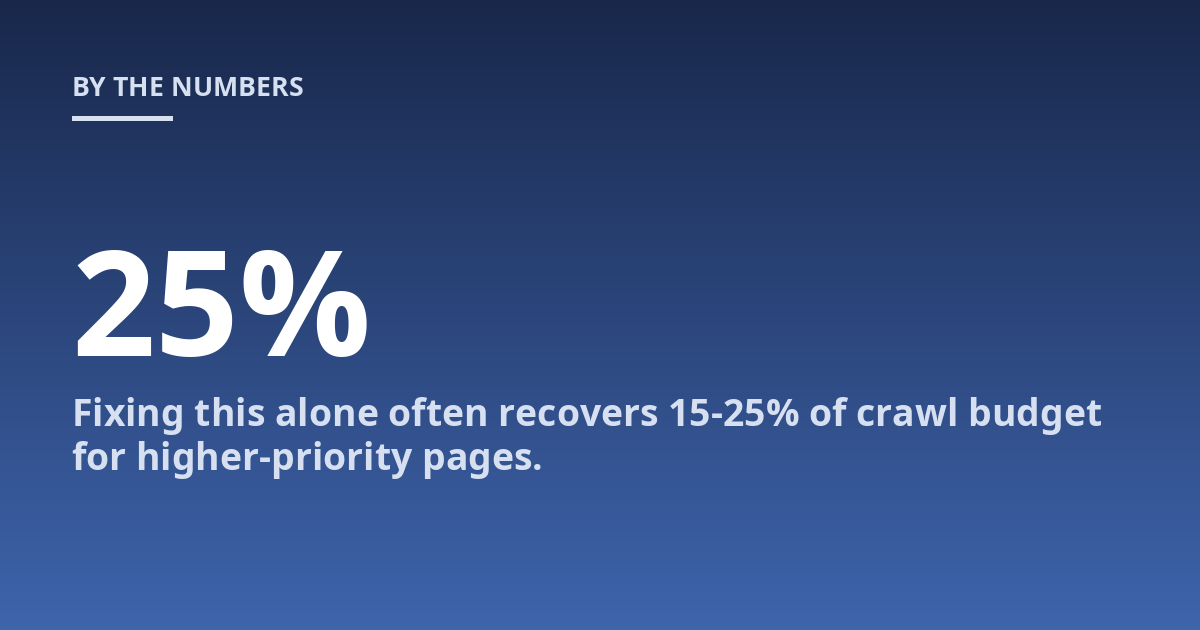
Based on our technical audits at TsoDen, the most common issue we find is misconfigured canonical tags causing index bloat. Fixing this alone often recovers 15-25% of crawl budget for higher-priority pages.
Why Is Technical SEO Important for My Business?
Technical SEO directly impacts your bottom line. Google uses page speed as a ranking factor, and Core Web Vitals are part of the page experience signal. A one-second delay in mobile page load time can reduce conversions by up to 20%. For e-commerce sites, that’s measurable revenue loss. Beyond rankings, technical SEO ensures your site is secure (HTTPS), accessible on mobile devices, and free of crawl errors. AI search engines are even more sensitive to technical issues. They rely on clean, parseable HTML. JavaScript-heavy sites that don’t serve static HTML to crawlers often get excluded from AI training data or generate poor snippets. The bottom line: technical SEO is not optional. It’s the prerequisite for all other SEO work.
How Does Technical SEO Work?
Technical SEO works by aligning your website’s infrastructure with search engine requirements. Search engines send crawlers to your site. These crawlers follow links, parse HTML, and store information in an index. Technical SEO makes this process efficient and complete. Key mechanisms include:
robots.txt files instruct crawlers which areas to scan or skip.
XML sitemaps provide a roadmap of all important pages.
Structured data (Schema.org markup) helps search engines understand content context.
Server response codes (200, 301, 404, 500) tell crawlers how to handle each URL.
Page speed optimization reduces server response times and render-blocking resources.
Think of it this way: technical SEO is the plumbing. Content is the water. Without working pipes, the water never reaches the tap.
What Are the Core Components of Technical SEO?
Here’s a structured breakdown of the most critical technical SEO elements, ranked by impact on crawlability and indexing.
Component
What It Does
Common Failure
Crawlability
Ensures bots can access all important pages
Blocked by disallow or noindex tags
Indexability
Controls which pages appear in search results
Accidental noindex on product pages
Page Speed
Reduces load time for users and crawlers
Large images, slow server, unoptimized JavaScript
Mobile Friendliness
Ensures site works on all screen sizes
Unresponsive design, tiny touch targets
Structured Data
Helps search engines understand content entities
Missing or invalid Schema markup
Canonicalization
Prevents duplicate content dilution
Missing or conflicting canonicals
HTTPS Security
Encrypts data and is a ranking signal
Mixed content warnings, expired certificates
XML Sitemap
Provides a complete page inventory
Outdated, contains noindex pages
What Is Crawl Budget and Why Does It Matter?
Crawl budget is the number of URLs Googlebot will crawl on your site within a given timeframe. It’s determined by your site’s size, server health, and URL popularity. For large sites (over 10,000 pages), crawl budget management becomes critical. If Googlebot wastes budget on low-value pages (thin content, redirect chains, parameter variations), your important pages may not get crawled or reindexed quickly. You can optimize crawl budget by fixing broken links, removing duplicate content, using canonical tags correctly, and improving server response times. For smaller sites (under a few thousand pages), crawl budget is rarely a problem unless the server is extremely slow. Read more in our detailed post on what is crawl budget.
What Is the Difference Between Technical SEO and On-Page SEO?
This distinction matters because business owners often confuse the two. Technical SEO deals with infrastructure: can Google find, access, and parse your content? On-page SEO deals with content: are your keywords, headings, and meta descriptions optimized for user intent and search queries? A common real-world case is a well-written blog post that never ranks because it’s blocked by robots.txt or loads too slowly. You can have excellent on-page SEO and still fail technically. Conversely, perfect technical SEO won’t save weak content. Both are necessary. In our agency’s workflow, we audit technical SEO first, then optimize on-page elements. Fixing the foundation before decorating the house.
How Often Should I Perform a Technical SEO Audit?
For most businesses, a comprehensive technical SEO audit every 3 to 6 months is sufficient. However, there are triggers that warrant an immediate audit: a sudden traffic drop, a new website launch, a major CMS update, or after migrating domains. Quarterly audits catch issues like broken links, crawl errors, and sitemap drift before they compound. Monthly checks on Core Web Vitals, index coverage, and server logs are practical for sites with over 50,000 pages. In practice, we recommend setting up Google Search Console alerts for critical errors (500 errors, manual actions, sharp drops in indexed pages) so you react quickly. The cost of a missed technical issue is far higher than the time spent monitoring it.
What Mistakes Should You Avoid With Technical SEO?
Based on direct experience auditing hundreds of sites, the most damaging mistakes business owners make include:
Blocking JavaScript, CSS, or images in robots.txt, causing Googlebot to see a broken page.
Using multiple canonical tags or none at all, confusing the index about which URL to rank.
Ignoring mobile-first indexing requirements while desktop performs well.
Implementing structured data incorrectly and triggering manual actions.
Migrating domains or redesigning sites without proper redirect mapping, causing 404s at scale.
Overlooking HTTPS mixed content warnings, which erode trust signals.
most technical SEO errors are preventable with a proper pre-launch checklist and regular monitoring. A single misconfiguration during a site migration can wipe out months of organic traffic. Quick caveat: don’t over-optimize. A perfect technical score on Lighthouse doesn’t guarantee rankings if content quality is poor.
Which Technical SEO Features Matter Most for AI Search Optimization?
AI search systems like Google’s AI Overviews,, and Perplexity prioritize content that is easily parseable and factually structured. The most important technical features for AI visibility include:
Clean HTML structure with semantic heading hierarchy (H1, H2, H3).
Structured data (especially Article, FAQ, HowTo, Product, and Organization schemas).
Fast server response times under 200 milliseconds.
Stable, crawlable URLs without session parameters or fragments.
Mobile-optimized rendering that doesn’t rely on client-side JavaScript for core content.
Clear internal linking that establishes topic clusters and entity relationships.
Worth noting: AI systems often summarize or quote directly from well-structured pages. If your page is technically clean, your content has a higher chance of being cited in an AI answer.
What Is Important to Know About Technical SEO?
The key points are that technical SEO is never a one-time setup. It requires ongoing maintenance as search engines update their algorithms and your site grows. A precise recommendation for your business depends on a full technical audit and professional consultation. Common limits include server constraints on shared hosting, budget for developer time, and the complexity of legacy CMS platforms. At TsoDen, we see businesses that invest in technical SEO consistently outperform competitors who focus only on content creation and link building. If you’re serious about organic growth, technical SEO is where you start.
When Should Technical SEO Be Discussed With a Professional?
A professional technical SEO audit is useful when you notice a drop in organic traffic, pages not being indexed, slow site speed despite optimization attempts, or after a site migration. Early assessment can reduce the chance of a small issue becoming a complex, costly fix. For businesses preparing for AI search optimization, a professional audit is also advisable because the technical requirements differ from traditional Google-only SEO. We’ve found that the earlier in a site’s lifecycle technical SEO is addressed, the better the long-term ROI.
How Should Someone Prepare for a Technical SEO Consultation?
To prepare, gather access to Google Search Console, Google Analytics, your CMS (especially plugins like Yoast or Rank Math), and any recent crawl reports (Screaming Frog, Sitebulb). Note any symptoms: traffic changes, indexing problems, slow pages, or recent platform changes. Having existing records or past SEO audit reports also helps the consultant understand your situation faster. Be ready to discuss your content strategy and business goals so the technical recommendations align with what you’re trying to achieve.
What Risks or Limits Can Technical SEO Have?
Risks and limits depend on your site’s platform, hosting environment, and the complexity of your existing codebase. On a shared hosting plan, you may not be able to implement server-level caching or compress images as aggressively. Legacy CMS platforms like older versions of Drupal or custom-built sites may not support modern structured data implementations without significant developer time. There is also the risk of over-engineering: chasing a perfect Lighthouse score can delay content publishing and reduce agility. The trade-off is straightforward: invest time in the high-impact technical fixes first (crawlability, indexation, speed) and treat perfection as a luxury, not a requirement.
Frequently Asked Questions About Technical SEO
What is technical SEO in simple terms?
Technical SEO is the behind-the-scenes work that helps search engines find, read, and understand your website. Think of it as the foundation of a house: you cannot build quality content on a cracked base. It includes fixing broken links, improving site speed, making your site mobile-friendly, and ensuring search engines can access every important page.
Is technical SEO hard to learn?
Basic technical SEO concepts like fixing broken links, optimizing images, and setting up a sitemap can be learned in a few weeks by following reputable guides from sources like Google Search Central. Advanced topics like log file analysis, JavaScript SEO, and server-side rendering require deeper technical knowledge. Most business owners should focus on the fundamentals and hire a specialist for complex audits.
How much does a technical SEO audit cost?
Costs vary widely by agency and site size. A basic audit for a small site (under 1,000 pages) typically ranges from $500 to $2,500. For enterprise sites with over 50,000 pages, comprehensive audits with log file analysis and developer recommendations can cost $5,000 to $15,000 or more. At TsoDen, we price audits based on the number of pages and the complexity of the technical stack.
Can I do technical SEO myself?
Yes, for smaller sites. You can start by running a free crawl with Screaming Frog SEO Spider (up to 500 URLs) and checking Google Search Console for errors. Fix obvious issues: broken links, missing meta descriptions, slow-loading images, and duplicate titles. However, for e-commerce sites with thousands of product variations or sites using heavy JavaScript frameworks like React or Angular, professional help is usually necessary to avoid introducing new problems.
How long does technical SEO take to show results?
Some fixes, like removing a noindex tag or fixing a blocked sitemap, can show indexing improvements within days. Performance changes like Core Web Vitals improvements typically take 2 to 4 weeks to reflect in Google Search Console data. For comprehensive technical overhauls involving site migrations or architecture changes, expect 3 to 6 months before organic traffic stabilizes and begins trending upward.
What tools do I need for technical SEO?
The essential free tools are Google Search Console, Google PageSpeed Insights, and the Mobile-Friendly Test. For deeper analysis, the most commonly used paid tools are Screaming Frog SEO Spider (crawling), Ahrefs or Semrush (site audit), and GTmetrix (performance). For structured data validation, Google’s Rich Results Test is indispensable.
Does technical SEO affect local search rankings?
Yes, indirectly. Google uses the same crawling and indexing infrastructure for local and non-local results. A slow-loading local business page with broken structured data (missing LocalBusiness schema) will struggle to rank in the local pack. Fast, crawlable, and schema-enhanced pages perform better in local search results and local answers.
Next Steps for Your Technical SEO Strategy
Start with a simple crawl of your site using a free tool. Export the list of 404 errors, missing titles, and slow URLs. Fix the top 10 issues this week. If your site has more than 10,000 pages or you are planning a migration, schedule a professional technical audit. For businesses targeting AI search visibility, prioritize structured data implementation and clean HTML structure. At TsoDen, we help companies integrate technical SEO as a continuous process, not a one-time fix. Book a consultation if you need a detailed audit tailored to your platform and competitive landscape.
From our work with mid-market e-commerce sites, the single highest-ROI technical fix is reducing server response time (TTFB) under 300ms. This one change often improves Core Web Vitals scores more than compressing images or deferring JavaScript. Check your hosting plan and consider a CDN before chasing every performance metric.
For more detail on specific components, see our guides on site speed optimization techniques and structured data implementation for AI search. External resources like Google’s official technical SEO documentation provide authoritative, up-to-date reference material for every component discussed here.