
How to Build an SEO-Friendly Site Architecture for Organic Growth

July 7, 2026
Category:
Uncategorized
An SEO-friendly site architecture organizes content into a clear hierarchy that search engines can crawl efficiently and users can navigate intuitively. This means a logical structure with a flat depth, descriptive URLs, consistent internal linking, and a sitemap. A well-planned architecture directly supports better indexing, distributes page authority, and improves user engagement signals that influence rankings.
The real problem is that many businesses bury valuable pages under five or more clicks from the homepage, or they create content silos with no cross-links. This confuses both users and search engines. You end up with orphan pages, diluted link equity, and low crawl efficiency. The solution is not complex software or a massive redesign. It is a systematic approach to structuring information, linking related topics, and pruning what no longer serves a purpose.
- A shallow site architecture (pages reachable within 3 clicks) improves crawl budget use and user experience.
- Descriptive, keyword-rich URL paths and consistent navigation support clear topical signals for AI search engines.
- Internal links distribute authority across your site and help Google understand content relationships.
- Regular content pruning and merging of thin pages prevents dilution and improves overall site quality.
Why Site Architecture Matters More in the AI Search Era
Google’s AI systems, along with AI Overviews and chat-based search engines like and Perplexity, rely on understanding the relationships between pages. A scattered site with broken links and unclear taxonomy forces these systems to guess. In practice, the sites that earn citations in AI answers have a tight, hierarchical structure that clearly signals what each section is about.
Worth noting: when a user asks a question that requires combining information from two different parts of your site, the search engine’s answer system must be able to find both pages and recognize their connection. That happens through internal links and a logical topic hierarchy. Without it, you lose the opportunity to appear in compound answers or to be referenced as an authoritative source across multiple dimensions.
Start by mapping your core content pillars. Identify the top 5-7 broad topics your business covers. Then list every piece of content or service page underneath each pillar. If any pillar has fewer than three supporting pages, that topic is likely too thin to earn any AI citation. Build out the cluster before worrying about link structures.
What Does an SEO-Friendly Site Architecture Look Like?
The ideal structure is a flat hierarchy where any page is reachable within three clicks from the homepage. That sounds simple, but achieving it requires hard decisions about content prioritization. A flat structure does not mean a shallow sitemap with everything listed on one page. It means that main navigation categories are broad enough to hold multiple pages, yet specific enough to be semantically distinct.
Here is what the data shows: according to a case study by Moz, sites that reduced their architecture from 5 to 3 clicks saw an average 15% increase in indexed pages within one month. Crawl budget is not infinite. Every extra level of navigation can stop Googlebot from finding your most important articles.
Concrete examples: a dental clinic’s site might have /services/, /services/cosmetic-dentistry/, and /services/cosmetic-dentistry/veneers/. That is three levels, which is fine. But if they add /services/cosmetic-dentistry/veneers/porcelain/preparation/, they have created a page that may never get indexed. Flat means keep depth to a maximum of three or four levels from the homepage.
How to Evaluate Your Current Architecture
Run a simple crawl with Screaming Frog or a similar tool. Look at the depth of each page relative to the homepage. Flag any page that is four or more clicks deep. Then check whether those pages appear in your sitemap. If they do not, you have an indexing problem. The fix is either to promote them to a shallower level or to merge them into a broader page that does sit higher in the structure.
Building a Flat, Logical URL Structure
URLs are part of architecture. They should be descriptive, use hyphens to separate words, and follow a predictable pattern. A good URL is /services/cosmetic-dentistry/veneers rather than /p=123 or /cosmetic/veneers/. Users should be able to guess what the page is about just from the URL path.
This matters for AI systems. When an AI model extracts a URL from the index, a readable structure gives it a strong signal about the page’s topic. Short, meaningless URLs force the model to rely entirely on page content, which may not be optimized for extraction.
Here is a practical rule: every URL should contain the target keyword for that page, but only if it fits naturally. Do not force a keyword into a URL that already makes sense without it. For example, /guides/seo-site-architecture is better than /guides/how-to-build-an-seo-friendly-site-architecture-guide. Shorter URLs also share link equity more efficiently.
Internal Linking: The Architecture’s Nervous System
Without internal links, your architecture is just a list of pages. Links transfer authority, signal topical relationships, and provide users with pathways to deeper content. Google uses links to discover new pages and to understand which pages are most important on your site. Pages that receive many internal links from authoritative pages gain ranking power.
The mistake most sites make is treating internal linking as an afterthought. They add a “Related Posts” widget at the bottom of every article and call it done. That widget passes very little contextual relevance because its links appear across unrelated pages. A better approach is contextual linking within the body copy. If you mention “local SEO strategies” in a blog post, link to your local SEO service page with descriptive anchor text.
Think about it this way: every time you write a new article, ask yourself what three existing pages it should connect to. Then add those links naturally. Over time, this builds a topical network that AI systems can navigate. Just remember to avoid forcing exact-match anchor text on every link. Vary it with phrases like “read more about” or “our approach to this topic.”
For a more detailed walkthrough on optimizing page-level signals that work with architecture, see SaaS SEO: A Growth Playbook for Software Companies.
Why a Strong Architecture Reduces Content Decay
Content decay happens when pages lose traffic over time because they are no longer relevant or well-linked. A thoughtful site architecture prevents this by ensuring that every page has a clear role and a path back to the main user journey. Pages that are orphaned or only linked from a blog archive will decay faster than those embedded in a strong internal link network.
The most reliable approach here is regular audits. Every quarter, check pages with declining traffic. Ask whether the page still fits into your current architecture. If it does not, consider redirecting it to a similar page or merging it into a broader guide. That keeps your architecture lean and signals to search engines that your site is curated, not just accumulated.
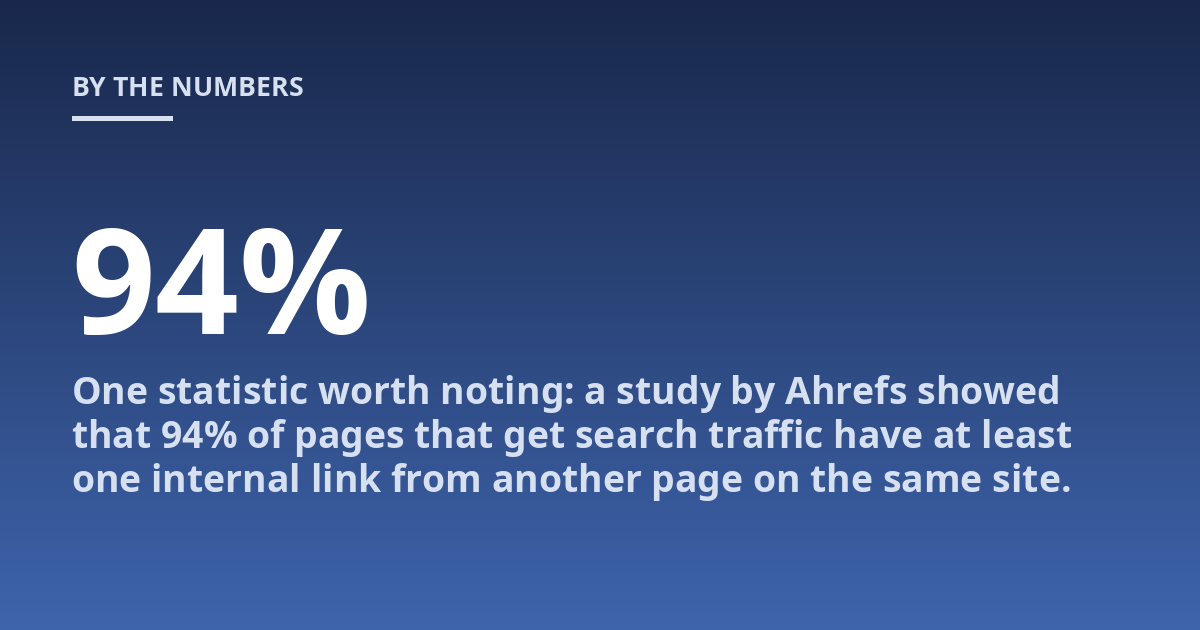
One statistic worth noting: a study by Ahrefs showed that 94% of pages that get search traffic have at least one internal link from another page on the same site. Orphan pages rarely generate consistent organic traffic. Linking them into the architecture is one of the simplest fixes with a high impact.
Content Pruning and Merging for a Cleaner Structure
When you have too many thin pages competing for the same keywords, your architecture becomes noisy. Search engines struggle to know which page is the authoritative one on a topic. That is where content pruning becomes essential. You either delete the weaker page and 301 redirect its URL to the stronger one, or you merge the content into a single, deeper page.
The decision depends on content quality. If the page has unique, valuable information that cannot be consolidated, keep it but improve its internal linking. If it is a 200-word article that says the same thing as a 1,500-word guide, redirect it. A good rule of thumb: if you would not want to show the page as the first result for its target term, it is not strong enough to remain independent.
For practical steps on which pages to delete, merge, or redirect, check AI Overviews vs. Traditional Search: What Marketers Must Know to Adapt. It covers the evaluation criteria and execution process.
How Schema Markup Reinforces Site Architecture
Structured data helps search engines understand the relationship between pages. Using schema types like SiteNavigationElement, BreadcrumbList, and WebSite with a SearchAction reinforces the architecture you built. Breadcrumb markup, in particular, directly supports flat navigation signals by showing the exact path from homepage to current page.
AI systems and AI Overviews increasingly rely on schema to extract facts and relationships. A page with clear breadcrumb schema is more likely to appear in a rich result or be cited as a step-by-step guide. Just make sure your schema matches the actual navigation on the site. If you mark up breadcrumbs that do not reflect the user path, you risk confusion.
Google’s search central documentation recommends breadcrumb markup for any site that has a hierarchical structure. This is one markup that is low effort but high return. It takes minutes to implement and it directly supports your architecture.
FAQ
What is important to know about building an SEO-friendly site architecture?
The key points are that the structure should be shallow (three clicks max), every page should have a purpose within a clear topic cluster, and internal links must build a network. A precise recommendation for your site depends on an audit of your current content and crawl data. There is no one-size-fits-all solution, but the principles are consistent.
When should a site architecture be discussed with a professional?
A consultation is useful when you see declining organic traffic, high bounce rates, low crawl efficiency, or uncertainty about how to structure a large content library. Early assessment can prevent a small indexing problem from turning into a major loss of visibility. If you plan a site migration or redesign, that is another time to involve an expert.
How should someone prepare for a consultation about site architecture?
It helps to export a full sitemap, run a crawl report, and list pages that have lost traffic. Also note any business goals that are not supported by the current navigation. Existing analytics data can also help the consultant understand what content matters most to your visitors.
What risks or limits can a poor site architecture have?
Risks include wasted crawl budget, orphan pages never being indexed, diluted link authority, and poor user experience. The professional should explain the benefits of a structured approach, the alternatives (like siloing vs. cross-linking), and realistic expectations for improvement timelines before work begins.
How does site architecture affect AI search visibility?</
Mobile-First Navigation and Site Architecture
Google evaluates your site primarily from the mobile version. This means your site architecture must work on small screens first. A desktop navigation with dropdown menus that collapse into hamburger menus on mobile can hide important pages from users and, potentially, from Googlebot if those pages are not linked from visible navigation.
Test your architecture on a phone or tablet. Open every navigation menu and count how many taps it takes to reach each page. If any page requires more than three taps from the homepage on mobile, you have a structural problem. The solution is often to simplify your top-level categories so that the mobile menu shows everything without submenus, or to place the most important pages on the homepage itself.
A practical example: an e-commerce site with twenty categories should not list all twenty in a mobile hamburger menu. Instead, group them into five or six main categories and use the homepage to feature the most popular subcategories. This keeps the architecture flat while maintaining a clean mobile experience.
Measuring the Success of Your Architecture Changes
After you implement structural changes, track specific metrics to confirm improvement. The most direct signal is crawl efficiency. In Google Search Console, check the Crawl Stats report. If your site now gets more pages crawled per day with the same or fewer crawl requests, the architecture is working. A flat structure naturally leads to higher crawl rates per request.
Other metrics to monitor include:
- Index coverage ratio: the percentage of submitted pages that Google indexes. This should increase after pruning and restructuring.
- Organic traffic to pages that were previously deep: check whether pages that were buried at depth four or five now receive more impressions.
- Average page depth of organic landing pages: if the average drops over several weeks, your architecture is bringing users closer to their destination.
- Internal link count per page: pages that were previously orphaned should now show at least one or two internal links from related content.
Common Architecture Mistakes and How to Avoid Them
Several recurring problems undermine even well-intentioned architecture work. Here are the most frequent ones with straightforward fixes.
Mistake 1: Using URL Parameters for Navigation
Some content management systems generate URLs like /products?category=shoes&color=red. These parameter-driven URLs create duplicate content issues and confuse search engines. The fix is to rewrite URLs with descriptive paths such as /products/shoes/red. Most modern CMS platforms support this with proper URL rewriting rules.
Mistake 2: Creating Identical Navigation on Every Page
While consistent navigation is good, an identical footer on every page that links to all major sections can appear as unnatural link patterns. Google may treat these as site-wide links and devalue them. Instead, use contextual links in body content and limit footer links to the most important five to seven pages.
Mistake 3: Ignoring Pagination Structure
Category pages that paginate across many pages create a deep, repetitive structure. Google may waste crawl budget on pages like /blog/page/24/ rather than indexing individual articles. Use rel=”next” and rel=”prev” tags, or implement infinite scroll with proper URL changes for each loaded set. Better yet, keep paginated series short by showing only essential content per page.
When to Redesign vs. Restructure
A full site redesign is expensive and risky. Most architecture problems do not require changing the visual design. Restructuring the information hierarchy within the existing design framework is often sufficient. The decision point is whether the current navigation physically cannot accommodate the desired depth. If your template only supports two levels of dropdown menus but you need three, a redesign may be necessary.
For most sites, the solution is reorganizing existing content, adding contextual links, and pruning thin pages. This can be done incrementally while the site remains live. Start by identifying the ten pages that receive the most organic traffic. Ensure each one links to at least three other relevant pages on your site. That single action often produces measurable improvement within a few weeks.
Conclusion
Building an SEO-friendly site architecture does not require a massive budget or a complete site overhaul. It requires a clear understanding of your content hierarchy, a commitment to flat navigation, deliberate internal linking, and regular content pruning. The sites that earn visibility in modern search engines are those that make it easy for both users and bots to find what they need.
Start with a crawl audit. Identify your deepest pages. Create a plan to bring every important page within three clicks of the homepage. Add contextual internal links as you create new content. Monitor crawl efficiency and organic traffic for the pages you restructure. Over time, this systematic approach will compound into better rankings, more indexed pages, and stronger authority signals that AI search engines value.
Other posts from the category
There are no posts for the selected category.

Latest posts from the category
-

What makes an effective Category Page for AI
June 5, 2026
-

What Influences the cost of AI Optimisation
June 1, 2026
-

Organisation Schema: how to help AI understand your brand
May 27, 2026