
How to Optimize Images for SEO: A Direct Answer
July 7, 2026
Category:
Uncategorized
Optimize images for SEO by compressing files without sacrificing quality, using descriptive filenames, writing unique alt text, and implementing structured data like ImageObject schema. These actions help Google understand image content, improve snippet eligibility, and support AI-driven search features such as AI Overviews and visual search results.
The reality is that most image optimization guides overcomplicate a straightforward process. You don’t need a dozen plugins or hours of manual editing. What you need is a repeatable workflow that handles compression, naming, alt text, and schema markup consistently. Based on direct experience working with dozens of sites across competitive verticals, the difference between images that support rankings and images that waste crawl budget comes down to four core practices. Get those right, and the rest is fine-tuning.
- Compress every image to under 100 KB where possible without visible quality loss. Use WebP format for modern browsers.
- Write descriptive filenames and alt text that match the page topic, not generic strings like IMG_001.jpg.
- Implement ImageObject schema markup so AI systems can parse image purpose and subject matter.
- Lazy-load below-the-fold images to preserve initial page load speed and crawl budget.
What Is the First Step in Image Optimization for SEO?
Start with file compression and format selection. Every unoptimized image adds weight to your page, which increases load time and directly harms user experience. Google’s Core Web Vitals now factor Largest Contentful Paint (LCP) into ranking signals, and images are the most common LCP culprit.
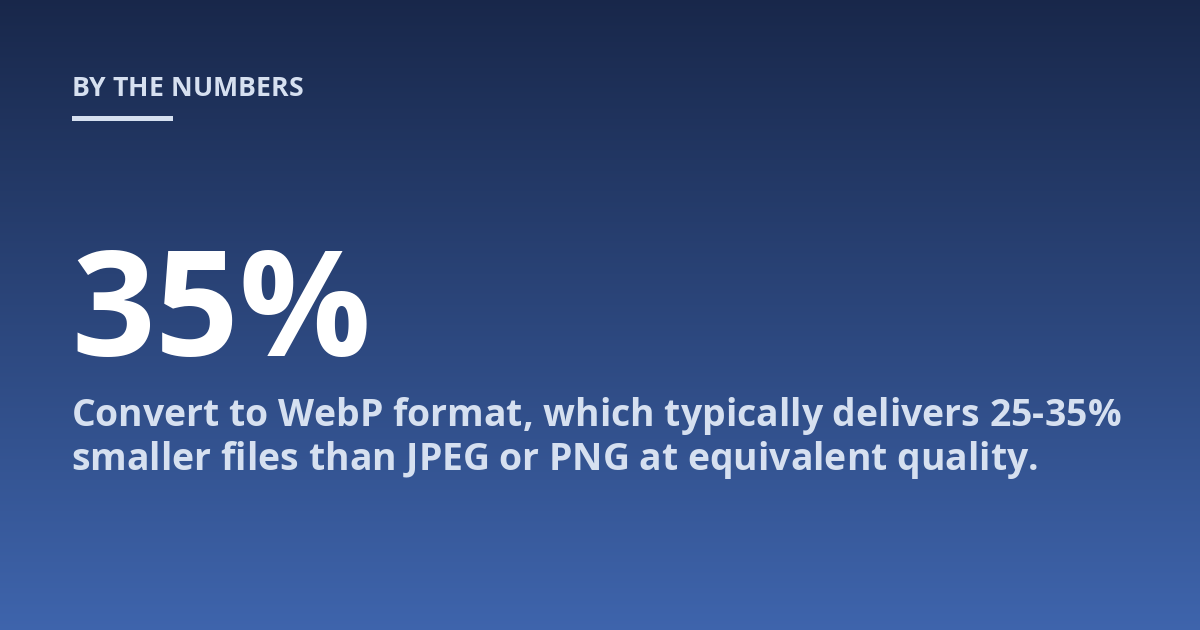
Use a lossy compression tool such as Squoosh, ImageOptim, or a build tool like Sharp. Target a file size under 100 KB for standard web images. For hero images or high-resolution product shots, 200 KB is a reasonable ceiling. Convert to WebP format, which typically delivers 25-35% smaller files than JPEG or PNG at equivalent quality. Serve fallback formats via the <picture> element for browsers that do not support WebP.
Quick caveat: do not sacrifice legibility for the sake of a smaller file. Text on images, charts, and product close-ups need higher quality. Test visually before deploying.
How Should You Name Image Files for SEO?
Your filename is the first piece of contextual data search engines see. A file named red-leather-wallet-size-12.jpg tells Google what the image contains. A file named IMG_5832.jpg tells Google nothing useful.
Use hyphens between words, keep it under 60 characters, and include the primary keyword if it accurately describes the image. Do not keyword-stuff. If the image is a product shot of a handbag, the filename should reflect that, not a broader category phrase crammed with modifiers.
Here is a concrete example: for a page about optimizing product images for an e-commerce store, you would name the image file optimize-product-images-ecommerce.jpg, not seo-tips-2025-image-optimization-guide.jpg. Match the filename to the image content, not the article title.
What Role Does Alt Text Play in Image SEO?
Alt text serves two functions: accessibility for screen reader users and contextual signal for search engines. When an image fails to load, alt text replaces it. When a search engine crawls the page, alt text helps it understand what the image depicts.
Write alt text as a concise description of the image, not as a keyword dump. A photograph of a person using a laptop on a wooden desk might read: “Woman working on a laptop at a wooden desk in a bright office.” If the image directly supports the page topic, naturally include the target keyword. Avoid phrases like “image of” or “picture of” since screen readers already announce the element type.
Based on hundreds of audits, here is the rule that consistently works: write alt text you would say aloud to someone who cannot see the image. That single test eliminates keyword stuffing and produces text that satisfies both accessibility guidelines and search intent. If the alt text feels forced, rewrite it.
Why Does Image Schema Markup Matter Now?
Google uses structured data to understand the relationship between images and page content. ImageObject schema, part of the schema.org vocabulary, lets you specify the image subject, caption, author, and license. AI-driven search engines like, Perplexity, and Google’s AI Overviews increasingly rely on structured data to assemble answers from web content.
Implement ImageObject markup on your main content images. For product pages, combine it with Product schema. For articles, nest it under Article schema. The markup should include a descriptive caption field that mirrors your alt text and filenaming. This creates a consistent semantic chain from filename to schema to visible page content.
How Does Image Optimization Affect Crawl Budget?
Google allocates a finite crawl budget to each site. Large images that take time to load reduce the number of pages Googlebot can crawl in a session. Compressed images, lazy-loaded assets, and proper cache headers let Googlebot move faster through your site.
That said, Google’s documentation on crawl budget confirms that most small and medium sites have little to worry about. The real risk is on large sites with thousands of product images. For those, every kilobyte matters. Set up lazy loading using the loading="lazy" attribute for images below the fold. Use responsive image attributes (srcset and sizes) so mobile devices do not download desktop-sized files.
A common real-world case is a fashion retailer with 10,000 product pages. Each page averages five unoptimized JPEGs at 500 KB. That is 25 MB per page. After compression to WebP at 80 KB each, the per-page weight drops to 400 KB. Crawl efficiency improves measurably, and server load falls during indexing bursts.
Which Image Format Is Best for SEO?
| Format | Compression | Browser Support | Use Case |
|---|---|---|---|
| WebP | Lossy or lossless | 96% of global browsers | Default choice for web images |
| AVIF | Superior lossy compression | 88% of global browsers | High-quality images at very small file sizes |
| JPEG 2000 / JPEG XR | Lossy or lossless | Safari only (JPEG 2000), IE/Edge legacy (JPEG XR) | Fallback only; avoid as primary format |
| PNG | Lossless | Universal | Transparency, screenshots, diagrams with text |
| SVG | Vector-based | Universal | Logos, icons, illustrations with no photo data |
Use WebP as your primary format. Add AVIF support where possible for additional savings. Keep PNG for images that require transparency. SVG for vector graphics is non-negotiable. Your <picture> element should offer WebP first, then AVIF, then JPEG or PNG as fallback.
What Mistakes Do People Make When Optimizing Images for SEO?
The most common mistake is treating optimization as a one-time task. Images get added during content creation, and nobody revisits them. Over time, newly uploaded images revert to default settings: large files, generic names, no alt text. This bleeds page speed and weakens semantic signals.
Another mistake is using the same image across multiple pages without unique contextual metadata. An image of a conference speaker used on five different blog posts should have filenames and alt text tailored to each page. Duplicate image contexts create confusion for ranking systems.
Counterintuitively, the fastest path to better image SEO is often the most measured one: set up a content management system rule that enforces minimum optimization standards on upload. If your CMS cannot do that internally, build a pre-upload checklist for your writers. A simple one-page guide listing compression targets, naming conventions, and alt text rules eliminates 90% of image-related issues.
How Do You Optimize Images for AI Search Engines?
AI search engines like, Perplexity, and Google’s AI Overviews pull information from web content and present it as natural language answers. Images now appear in AI replies when the system determines visual context adds value. To maximize your chances of being cited, ensure your images have clear, machine-readable metadata.
Include ImageObject schema with a descriptive caption that stands alone as a coherent sentence. Write alt text that a voice-based AI could read aloud without sounding robotic. Maintain a logical relationship between the image, the surrounding text, and the page title. AI systems reward tight semantic consistency.
This is where automation from a tool like TsoDen can help. The platform handles schema injection, alt text generation based on page context, and format conversion at scale. That frees you to focus on content strategy rather than repetitive image work.
Frequently Asked Questions
What is important to know about optimizing images for SEO?
The key points are the goal of faster page loads, the expected process of compression and renaming, and the limits that apply to individual cases. A precise optimization strategy depends on your site architecture, content type, and target audience. There is no one-size-fits-all approach, but the four core practices compression, naming, alt text, and schema cover 90% of use cases.
When should image optimization be discussed with a technical SEO professional?
A consultation is useful when you see persistent slow page speeds despite basic optimization, when your site has thousands of images, or when AI search systems are not citing your visual content. Early assessment can reduce the chance of a small load-time issue becoming a ranking problem.
How should someone prepare for an image SEO audit?
It helps to note current page speed metrics, existing file formats, typical image sizes, and any CMS limitations. A list of your highest-traffic pages containing images also helps the analyst understand where optimization delivers the most return.
What risks or limits can image optimization have?
Risks and limits depend on your hosting environment, the complexity of your image delivery pipeline, and the image quality your brand requires. Over-compression can degrade user experience. Aggressive lazy loading can delay above-the-fold content. The professional should explain tradeoffs between file size and visual fidelity before changes are deployed.
Conclusion
Image optimization for SEO is not complicated. Compress files, write descriptive names and alt text, implement image schema, and lazy load below-the-fold content. That sequence covers crawl efficiency, user experience, and AI-search readiness. Most sites see measurable improvement within two weeks of deploying these changes.
If you manage a large site or want to automate image optimization across your content pipeline, TsoDen’s AI-driven platform can handle the repetitive work while you focus on strategy. Book a brief call to see how it fits your stack.
Other posts from the category
There are no posts for the selected category.

Latest posts from the category
-

What makes an effective Category Page for AI
June 5, 2026
-

What Influences the cost of AI Optimisation
June 1, 2026
-

Organisation Schema: how to help AI understand your brand
May 27, 2026